Intelligent
construction and
project management
Project Vault is the central place for owners, construction management teams, engineers, and contractors to manage construction projects together from kickoff through closeout.
The platform construction teams trust
One hub for the whole project team
From field inspectors to the project manager, Project Vault brings the whole team together to share information and stay accountable, in real time, from any device.
Coordinate field & office
Work from up-to-date plans and documents and keep everyone aligned, whether they're on site or at their desk.
Stay accountable
Know exactly who did what, and when. Every record is auto-numbered and tracked, with a complete history you can always look back on.
Reduce your risk
Capture as-built documentation and an indisputable, timestamped record of the work performed.
The end of the paperwork scramble
Email threads, shared drives, and a binder you assemble the night before. Project Vault keeps the whole project in one signed, searchable record, updated as you go.
- Buried in email threads and shared drives
- Field crews and the office out of sync
- Chasing who approved what, and when
- Closeout is a month of scrambling
- One missed submittal, real exposure
- One project record, one search bar
- Field and office on the same page, in real time
- Every change signed and timestamped
- Closed out as the work happens
- Nothing slips, it's all logged
One platform, every phase of the project
From the field to closeout, the tools your team already needs, without the email chaos and scattered drives.
Field logs
The field, documented and signed
Capture weather, labor, equipment, materials, and photos from any device. Every daily report is timestamped and locked once signed, so there's nothing to reconstruct later.
- Mobile photo capture
- Digital signature & timestamp
- Locked once submitted
LOG-014 · Daily Report
Jul 5, 2026 · Maple Street Reconstruction
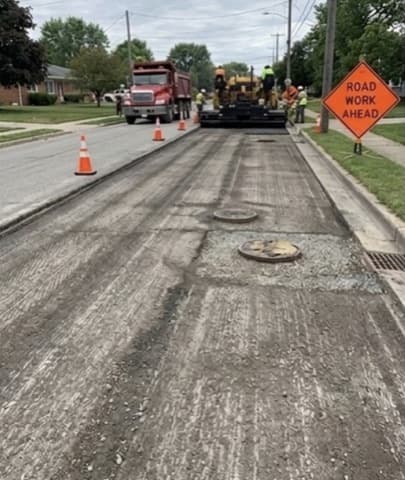
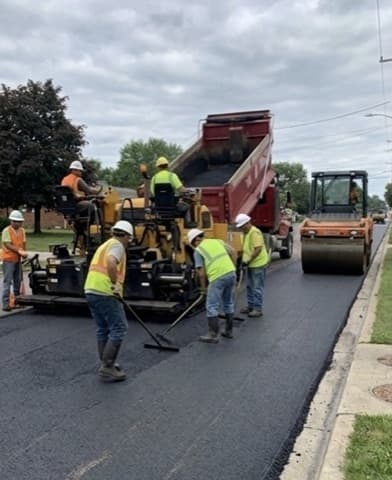
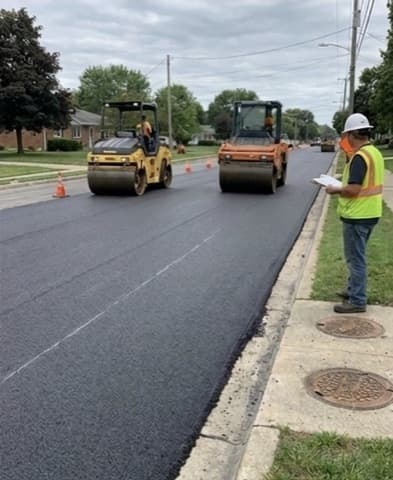
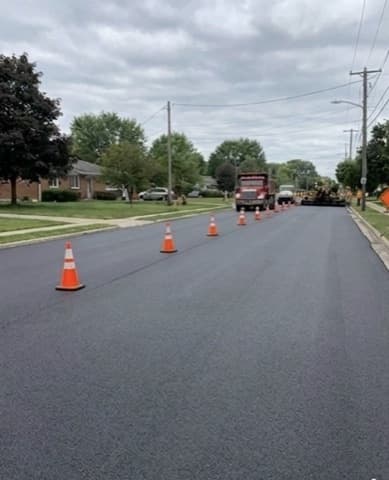
Placed 457 tons of asphalt, Sta 12+00 to 14+50.
RFIs, submittals & change orders
Every thread in one place, not buried in email
Formal workflows with auto-numbering, response tracking, due dates, and status at a glance. RFIs, submittals, and change orders stay organized from open to closed.
- Auto-numbered records
- Response & due-date tracking
- Digital signatures
Open items
+ New RFIPlans, files & closeout
From bid documents through closeout, all in one place
Mark up plan sheets in the browser and keep every document in a clean, organized folder structure. When the project closes, your record is already complete.
- In-browser plan viewer & markup
- Pre-built folder templates
- Role-based access
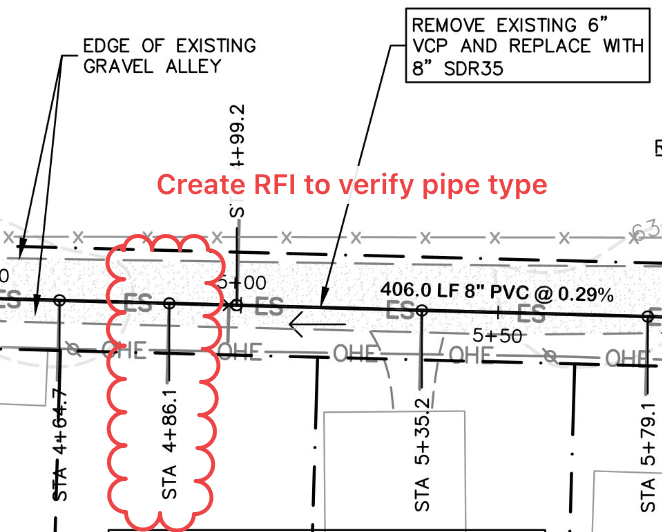
Sewer Plan · RFI-012
Built for how construction teams work
Purpose-built for the unique requirements of construction projects.
Daily Observation Logs
Field observers log daily observations with weather, labor, equipment, materials, safety notes, photos, and digital signatures, all from a mobile device.
- Photo uploads with captions
- Digital signature & timestamp
- Weather & labor tracking
Document Management
Organized folder structures for every required document from bid through closeout, so nothing falls through the cracks.
- Pre-built folder templates
- Compliance-ready structure
- Any file format
Change Orders & RFIs
Formal workflows for change orders and RFIs with digital signatures and status tracking. RFIs are logged chronologically with response tracking and dashboard flags.
- Digital signatures
- Response tracking
- Status dashboard
Pay Applications & Invoicing
Upload approved pay applications, verify the math, and flag retainage discrepancies. Track the full pay-application lifecycle from submission to payment.
- Retainage tracking
- Scheduled reminders
Plans & Markup
View and mark up construction plan sheets right in the browser. Private-by-default annotations you can choose to share, with a full sheet index and revision history.
- In-browser PDF viewer
- Private markups
- Revision tracking
Role-Based Access Control
Owner team, professionals, and contractors, each with granular project-level permissions. Internal and financial data stays locked to authorized staff, enforced at the database level.
- Project-level assignment
- Internal & financial data protection
- Multi-org support
AI-ready. Connect your own AI assistant to your projects through our built-in MCP server.
How It Works
From kickoff to closeout in three steps.
Set up your project
Create a project, pick a folder template, and your document structure is ready in minutes.
Invite your team
Add your owner team, engineers, and contractors, each with the right permissions for their role.
Track everything
Log daily observations, manage RFIs and submittals, review pay apps, and keep everything organized through closeout.
Plans that scale with your workload
Start on Base and upgrade as you grow. Engineers and contractors join free. Only the project owner pays.
Base
Billed annually. $1,992/year.
Start with a free 30-day Pro subscription. No credit card required.
- 1 planning + 1 construction project
- Unlimited documents, files & team members
- Daily logs with photos
- RFIs & submittals
- Manual pay applications & invoices
- Plans viewer & markup
- Meetings, schedule & punch lists
- Role-based access & two-factor auth
Pro
Billed annually. $7,800/year.
Up to 5 planning and 5 construction projects.
- Everything in Base
- Unlimited photos
- Up to 5 projects of each type
- Schedule of Values
- Pay applications with e-signatures through DocuSign
- Change orders with e-signatures through DocuSign
- AI assistant via MCP
Max
Everything in Pro with no limit on active projects.
For teams running large or concurrent programs.
- Everything in Pro
- Unlimited active projects
- Dedicated onboarding & training
- Priority support
